

10 Signs Your Manufacturing Business Has Outgrown QuickBooks
Written by Pabian Partners Team
Published: April 2026
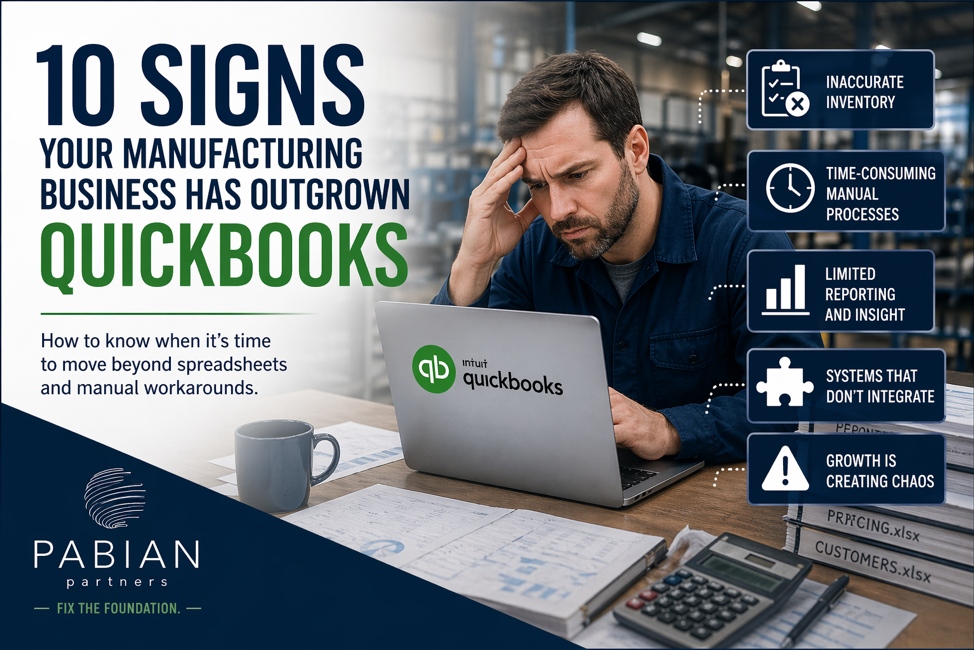
Key Takeaways
Key Takeaways
- QuickBooks is an accounting system, not a manufacturing system.
It was not designed to manage bills of materials, production schedules, material planning, shop floor activity, product costing, or lot and serial traceability.
- Spreadsheets and workarounds are often the first signs that the system has reached its limit.
If inventory cannot be trusted, production planning is manual, costing is unclear, close takes too long, or decisions require days of spreadsheet work, the business has a system problem.
- Do not wait for QuickBooks to cause a full operational breakdown.
If three or four of these warning signs already sound familiar, it is time to evaluate a manufacturing ERP before the limitations begin affecting orders, margins, compliance, and customer relationships.
10 Signs Your Manufacturing Business Has Outgrown QuickBooks
QuickBooks is one of the best things that ever happened to small business accounting. It is affordable, familiar, and gets the job done when you are starting out. Most of the manufacturers we meet at Pabian Partners started on QuickBooks and ran on it for years.
But here is the truth nobody tells you when you sign up: QuickBooks is an accounting tool, not a manufacturing system. It was never designed to manage bills of materials, schedule production, track lots and serials, plan materials, or give you real-time visibility into the shop floor. So when your manufacturing business grows, QuickBooks does not grow with you. It just gets propped up by an ever-growing pile of spreadsheets, sticky notes, and workarounds that your team holds together with duct tape and good intentions.
The hard part is recognizing the moment when “QuickBooks plus a few spreadsheets” stops being a smart cost-saving choice and starts quietly costing you orders, margins, and your team’s sanity. We see a lot of small businesses on Reddit posts asking questions about which ERP they should go with as they have outgrown QuickBooks and spreadsheets. As they have more SKUs, ingredient lots, more customers and plans to enter into new markets, it’s getting harder to keep everything organized.
This article walks through 10 real-world signs that your manufacturing business has outgrown QuickBooks. If you nod along to even three or four of these, it is probably time to start a serious conversation about a true manufacturing ERP like Acumatica.
If you are early in your ERP journey, start with the fundamentals. To get a deeper understanding about what a small business manufacturing ERP designed to solve, its features and prepare yourself better in making the right decision
01. Your Business Is Getting More Complex Faster Than QuickBooks Can Keep Up
This one sneaks up on growing manufacturers. You are not in crisis. Orders are coming in. The team is shipping. But something feels heavier than it used to. That heaviness has a name: complexity.
Five years ago you had 80 SKUs. Now you have 340. You used to track three raw material lots a week; now it is thirty. Your customer list doubled. You just opened a second warehouse, or you are about to start selling into Canada, or a retailer is asking for EDI compliance and pallet-level labeling that your current process cannot support.
None of those individually would break QuickBooks. Stacked together, they do. Every new SKU means another item master to maintain, another costing assumption, another place for data to drift. Every new lot means another row in the traceability spreadsheet. Every new customer means another price list, another payment term, another shipping preference to remember. Every new market means new tax rules, new currencies, new compliance requirements that your accounting tool was not designed to enforce.
At some point, your team stops asking “how do we scale this?” and starts asking “how do we survive next quarter?” That is the moment the business has outgrown QuickBooks not because anything broke, but because the tool can no longer carry the weight of what you have built.
A purpose-built manufacturing ERP treats growth as the default, not the exception. Multi-entity, multi-currency, multi-warehouse, unlimited SKUs, built-in lot and serial tracking, configurable pricing, and the ability to onboard a new market without rewriting how the business operates. Acumatica does not just store more data. It gives you the structure to organize more data as your business gets more complex.
02. Your Inventory in QuickBooks Never Matches the Warehouse
This is the single most common pain point we hear from manufacturers. The screen says you have 240 units of a finished good. The shelf says 187. Or 312. Or “let me go count it.”
QuickBooks tracks inventory at a basic level, but it was not built for raw materials, work-in-process, sub-assemblies, multiple locations, or lot and serial tracking. So your team starts maintaining a separate inventory spreadsheet, then a second one for the warehouse, then a third for “what is actually in the back room.” The numbers drift apart within weeks.
The cost shows up as emergency raw material orders at premium pricing, parts you swore you had but had to re-buy, and finished goods you cannot ship because you cannot find them.
The Acumatica difference
Real-time, multi-location inventory tied directly to production orders, purchase orders, and sales orders. One number, everywhere, all the time.
03. You’re Managing Bills of Materials in Spreadsheets
QuickBooks has a basic “assemblies” feature, but anyone who has tried to build a real, multi-level BOM in it knows where this story ends in Excel.
If your engineers are emailing BOM revisions around as .xlsx files, if you have version 7 of a recipe that two people swear is actually the latest one, or if a single component change requires updating five different spreadsheets, you have outgrown QuickBooks. Manufacturing is not manufacturing without proper BOM control. You need multi-level BOMs, revision history, effectivity dates, and the ability to see exactly which finished goods are affected when a component changes.
This was one of the biggest wins for our client Moonlight Mixes, who replaced QuickBooks and a maze of spreadsheets with Acumatica and gained full control over batch recipes and costing.
04. Production Scheduling Lives in Someone’s Head (or a Whiteboard)
Ask the question out loud: How do we know what we are making next week?
If the honest answer is “Mike walks the floor and figures it out” or “we update a whiteboard every Monday morning,” your scheduling system is a person, not a system. That is fine when you are running 5 jobs a week. It is a disaster when you are running 50.
QuickBooks has no concept of routings, work centers, capacity, machine availability, or finite scheduling. So when one big rush order comes in, the whole plan collapses because nobody can see the downstream impact. We covered this exact pattern in our blog on preparing your manufacturing business for ERP success, rush orders breaking the schedule is one of the clearest signs you need a real ERP.
A real manufacturing ERP gives you a schedule you can actually trust, rebuild in seconds, and share with sales so they stop promising dates the floor cannot hit.
05. You Don’t Actually Know What Each Job Costs
QuickBooks can tell you what you billed a customer. It struggles to tell you what it actually cost you to make what you billed.
The job costing in QuickBooks is basic by design, it was not built for a world where a single finished good pulls from 40 raw materials, 6 work centers, 3 outside processes, and 2 overhead pools. Real manufacturing cost accounting means tracking material consumed at current cost, labor hours by work center, machine time, overhead allocation, scrap, and rework, and having all of it roll up to the finished job automatically. In QuickBooks, most of that is either missing or reconstructed after the fact in a spreadsheet that nobody fully trusts.
The result is a quoting process that is basically gut-feel. You think your margin on a particular product is 35%. It might actually be 12%. Or negative. You do not know, because the system does not know.
If you have ever finished a “successful” quarter and wondered why the bank account did not agree, this is usually why. Pabian Partners regularly helps manufacturers rebuild costing discipline as part of their Acumatica rollout and the honest number almost always changes how owners think about pricing.
06. Your Team and Your Tech Stack Are Held Together with Duct Tape
Look at the stack you are actually paying for: QuickBooks, an inventory add-on, a shipping platform, a CRM, an EDI tool, a barcoding tool, a forecasting spreadsheet someone built in Google Sheets, a separate payroll system, a cloud drive holding all your BOM files. Then add the integration tools and consulting hours to keep them connected.
And look at what your team does all day to make that stack function. Order comes in through email or EDI. Someone retypes it into QuickBooks. Someone else retypes it into the shipping tool. The warehouse retypes inventory updates from a paper pick list. The controller retypes month-end numbers into a reporting spreadsheet.
Every retype is a chance for an error. Every retype is paid labor doing nothing that adds value. And every retype means your data is always slightly out of date the moment anyone looks at it.
The root cause is that QuickBooks was built to be your ledger, not your operating system. CRM, warehouse, service, shop floor, eCommerce, all live in other tools, connected (if you are lucky) through external integrations or manual exports. When the accounting system is your anchor but everything operational lives elsewhere, your people become the integration. That is expensive and fragile.
When you total it up, most growing manufacturers are spending more on their patchwork like the licenses, the integrations, the retyping, the reconciliation time, than they would on a unified ERP. A unified ERP is not more expensive. It is usually cheaper than the duct tape, once you count the duct tape honestly. Our Acumatica ERP Pricing Guide breaks down what you are actually comparing against.
07. You Can’t Get a Straight Answer on a Customer Order
A customer calls and asks, “Where is my PO?” The salesperson puts them on hold. They check QuickBooks for the invoice status. Then they walk to the warehouse to ask about shipping. Then they call the production supervisor to ask if it has been built. Then they call back the customer fifteen minutes later with a half-answer.
In a real ERP, that question takes ten seconds. One screen shows the order, its production status, the materials allocated, the planned ship date, the carrier, the tracking number, and the invoice. QuickBooks just was not built to do that.
If your sales team is constantly running around the building to answer status questions, your business has outgrown QuickBooks.
08. Compliance, Lot Tracking, or Traceability is a Manual Nightmare
If you make food, beverage, supplements, medical devices, cosmetics, chemicals, automotive parts, or anything regulated, you already know that lot and serial tracking is non-negotiable. Recalls, audits, customer quality requirements, and FDA or industry regulations all demand that you can answer: Which raw material lot went into which finished good lot, and which customers received it?
QuickBooks cannot answer that question. So you build a separate tracking spreadsheet. Then a binder. Then a second binder. Then you pray you never get audited.
Acumatica’s manufacturing edition has lot and serial tracking built into the core, so traceability is a query, not a fire drill. Our Manufacturing Management Software overview shows what that workflow looks like day to day.
09. Month-End Close Takes a Week (and Still Has Errors)
In a healthy manufacturing operation, close should take two or three days. If yours takes a full week or more and the controller is still emailing journal entry corrections two weeks into the next month, that is QuickBooks plus spreadsheets fighting your team.
The problem is not your accounting team. The problem is that QuickBooks does not know what production made, what inventory moved, what was scrapped, what was consumed, or what was shipped without manual journal entries to reconcile it all. Your controller is essentially rebuilding the operational picture from scratch every month. That is a massive hidden cost.
A real manufacturing ERP closes the loop automatically: every production transaction posts the right inventory and GL entries in real time. Close becomes a review, not a reconstruction.
10. You’re Flying Blind on Decisions
When the owner asks, “Which product line is most profitable?” or “Should we add a second shift?” or “Is this customer worth keeping?” and the honest answer requires three days of pulling spreadsheets together, you do not have a reporting problem. You have a system problem.
Standard reporting in QuickBooks tells you what already happened in accounting. It does not tell you what is happening on the floor right now, what your real product margins are, which customers are draining capacity, or what your throughput trend looks like. For anything more nuanced, your team is exporting to Excel, running pivot tables, and hoping the numbers reconcile by the time the meeting starts.
A modern ERP replaces that cycle with role-based dashboards that pull directly from live operational and financial data. The owner sees cash and margin trends. The plant manager sees schedule adherence and scrap. Sales sees the pipeline and order status. Nobody is building the report from scratch every week. This is exactly why we wrote our 2026 Manufacturing ERP Features Buyers Should Prioritize guide — modern manufacturers are buying ERP specifically for real-time visibility and decision-ready dashboards, not just transaction processing.
QuickBooks vs. Acumatica: The Manufacturer’s Comparison
Here is a side-by-side look at where the two systems genuinely diverge for a growing manufacturing business. This is not a feature dump, it is the handful of capability areas that actually decide whether your team is fighting the software or using it to win.
Capability Area | QuickBooks (Desktop / Online) | Acumatica Cloud ERP |
Inventory & Warehouse Visibility | Inventory tracked at a basic level. Multi-location, WIP, and raw materials usually spill into spreadsheets. | Real-time multi-location inventory tied directly to production, purchasing, and sales. |
Bills of Materials | Single-level assemblies only. Multi-level BOMs, revisions, and effectivity dates end up in Excel. | True multi-level BOMs with revision control, effectivity dates, and engineering change history. |
Production Scheduling | No native production scheduling. Managed on whiteboards or scheduling spreadsheets outside the system. | Finite scheduling with work centers, routings, and capacity planning built in. |
Job & Product Costing | Basic job costing. True cost of material, labor, overhead, and scrap typically rebuilt after the fact. | Flexible costing methods with real-time material, labor, and overhead rolled to every job. |
Lot & Serial Traceability | Not built in. Usually tracked in separate spreadsheets or binders for audits and recalls. | Lot and serial tracking built into the core for regulated and quality-driven industries. |
Reporting & Dashboards | Standard financial reports. Cross-functional and operational views require manual exports and pivot tables. | Role-based, real-time dashboards with operational, financial, and project views in one place. |
CRM & Sales Visibility | CRM is a separate tool or add-on. Sales, service, and finance data rarely speak the same language. | Built-in CRM with marketing, sales, service, and a self-service customer portal natively connected. |
Workflow & Approvals | Limited custom workflows. Advanced approvals often require higher-tier subscriptions. | Configurable workflows, approval routing, and event-driven email, mobile, and SMS alerts. |
Mobile & Remote Access | Full mobile functionality only in QuickBooks Online. Desktop users are tied to the office. | Anywhere access for CRM, warehouse, shop floor data collection, and approvals on any device. |
Integrations | External integrations only; your team stitches systems together and re-keys data between them. | Open APIs, web services, and native integrations for EDI, eCommerce, shipping, and more. |
User Access & Licensing | User-count based. Adding shop floor or seasonal users adds cost fast. | Resource-based pricing with unlimited users so everyone who needs data can have it. |
Scaling with Your Business | Works well early on. Performance, reporting, and data volume issues show up as you grow. | Designed to scale from a single site to multiple entities and currencies without re-platforming. |
Bottom line: QuickBooks is still a solid accounting tool for the right business. A growing manufacturer just is not that business anymore.
So What Now? You Recognized 4+ of These. Here’s the Next Step.
If three or four of these felt uncomfortably familiar, you are not alone and you are not in crisis yet. But the longer you wait, the more expensive the workarounds get and the harder the eventual migration becomes.
Here is what we recommend before you talk to any ERP vendor (including us):
- Map your top three pain points. Do not shop for software. Shop for solutions to specific problems.
- Pull a real number. How many hours per week is your team spending on workarounds, retyping, and reconciliation? Multiply that by their fully loaded labor cost. That is your cost of staying.
- Talk to a peer. Find another manufacturer who made the QuickBooks-to-ERP jump and ask what they wish they had known.
- Get a realistic estimate. Not a sales demo. A real conversation about what implementation looks like for a business your size.
The goal is not to upgrade for the sake of upgrading. The goal is to stop letting your accounting software run your manufacturing business.
Ready to have that conversation?
Pabian Partners works specifically with small and mid-sized manufacturers making the QuickBooks to Acumatica transition. We will tell you honestly whether it is the right time or whether you have another year of runway in your current setup.
FAQs
1. Isn't ERP overkill for a small manufacturer?
Not anymore. Modern cloud ERPs like Acumatica are built for small and mid-sized businesses, with pricing and implementation models designed to fit smaller teams. The “ERP is only for big companies” idea is about 15 years out of date.
2. Why not just upgrade to QuickBooks Enterprise instead?
This is the question almost every manufacturer asks, and it is a fair one. QuickBooks Enterprise is a real step up from Pro and Premier — larger data limits, more users, advanced inventory features, industry-specific reports. For some businesses, it buys another year or two of runway.
What it does not do is change the fundamental architecture. QuickBooks Enterprise is still an accounting system with bolt-on inventory features. It still does not handle multi-level BOMs with engineering change control, finite production scheduling, shop floor data collection, lot and serial traceability, or real-time operational dashboards the way a purpose-built manufacturing ERP does. You will still end up supplementing it with spreadsheets, add-ons, and workarounds, just at a higher price point.
Our honest take: if you are already running into 4 or more of the 10 signs above, upgrading to Enterprise is usually a detour, not a solution. You will likely revisit this same decision in 18 to 24 months, only now with more data to migrate and more processes to untangle. If you are only running into 1 or 2 signs and your growth curve is modest, Enterprise can be a reasonable bridge. Context matters, and a good partner will tell you which camp you are in before selling you anything.
3. Can we keep QuickBooks for accounting and just add manufacturing software on top?
You can, and some businesses do this as a stepping stone. But you will still have two systems that need to be reconciled, and you will outgrow that stack eventually too. A unified ERP usually wins on total cost and clarity.
4. How long does an ERP implementation take?
For most small to mid-sized manufacturers, expect 3 to 6 months from kickoff to go-live, depending on scope and data complexity. We cover the full preparation checklist in our manufacturing ERP success guide.
5. What does it cost to switch from QuickBooks to Acumatica?
It depends on your size, modules needed, and customization level. Most small manufacturers spend $25,000 to $100,000 on implementation and $2,000 to $10,000 per month on licensing. Our Acumatica ERP Pricing Guide breaks it all down.
6. Will my team be able to handle the change?
With the right partner and a phased rollout, yes. Change management is the hardest part of any ERP project which is why we invest heavily in training, internal champions, and post-go-live support.