

Acumatica vs Intuit Enterprise Suite: An Honest Comparison
Written by Pabian Partners Team
Published: June 2026
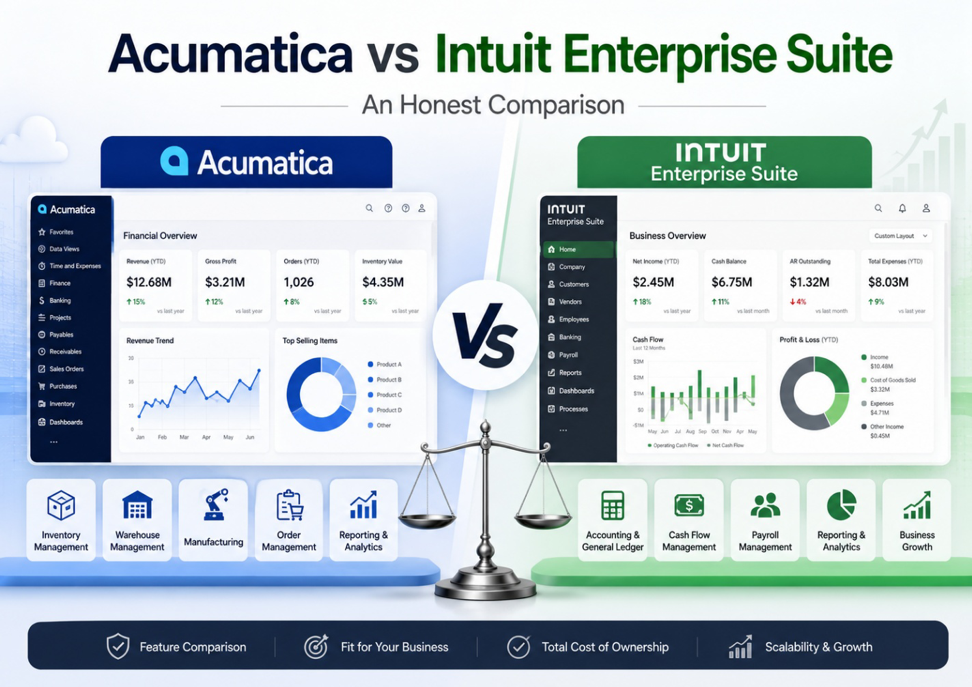
- Acumatica vs IES
- Where Intuit Enterprise Suite Legitimately Fits
- 1. Functional Footprint: ERP vs. Accounting+
- 2. Platform Architecture and Scalability
- 3. Licensing: User-Based vs Resource-Based
- 4. Customization and Flexibility
- 5. Support Model: VAR Channel vs Direct
- 6. Total Cost of Ownership: The Numbers That Show Up Later
- 7. Ecosystem: Mature vs Emerging
- 8. Global Business Support
- Decision Framework: Who Should Pick What
- If You're Already on IES (or QuickBooks)
- Final Thoughts
- FAQs
Key Takeaways
Key Takeaways
- Intuit Enterprise Suite is an upgrade from QuickBooks, but it is not a full ERP for every business.
IES can make sense for service-based, US-only companies with relatively simple operations. Businesses managing inventory, manufacturing, distribution, EDI, or multiple sales channels may reach its limits more quickly.
- The cheapest next step is not always the least expensive long-term decision.
License pricing is only one part of the cost. Add-ons, manual work, integration maintenance, implementation support, and another potential migration should all be included in the comparison.
- Choose a platform that can support where the business will be in five to seven years.
If you expect more warehouses, entities, employees, channels, currencies, or operational complexity, Acumatica provides a more mature foundation for long-term growth.
There is a moment in nearly every growing business when the accounting software that got you here starts to hold you back. Reports take too long. Inventory does not match what is in the warehouse. Customer service is rekeying data into three different screens. The CFO is running the close out of spreadsheets. Sales is quoting prices they hope are still accurate. Everyone is working harder than they should be, and the system that used to feel simple now feels like a ceiling.
For decades, that ceiling has been QuickBooks. In September 2024, Intuit launched Intuit Enterprise Suite (IES) specifically to give customers an upgrade path that keeps them inside the Intuit family. IES is positioned as an “all-in-one” platform for small and mid-sized businesses, with multi-entity accounting, AI-powered features, and a broader feature set than QuickBooks Online. For finance leaders looking at the upgrade, the obvious question is whether IES is the right next step or whether the business has already outgrown what Intuit can offer, no matter how it is packaged.
This is an honest, side-by-side comparison of Acumatica Cloud ERP and Intuit Enterprise Suite. We will cover where each platform genuinely fits, where the trade-offs land, and what to look for as you make a decision that will shape your operations for the next seven to ten years.
A note from our perspective: Pabian Partners is an Acumatica VAR. We are not neutral, and we will not pretend to be. What we can promise is that we will be honest about where IES might be the right answer for a business, and equally honest about where Acumatica is the stronger long-term choice. The goal of this comparison is to help you reach a confident decision whichever direction this takes you.
Acumatica vs IES
Before the deep dive, here is the high-level comparison across the dimensions that matter most when evaluating an ERP.
| Dimension | Acumatica | Intuit Enterprise Suite |
| Core focus | Full ERP across financials, distribution, manufacturing, project accounting, field service, CRM, commerce | Financial management and multi-entity accounting; primarily service-based businesses |
| Architecture | Cloud-native, built from the ground up for mid-market ERP workloads | Built on the QuickBooks Online platform; inherits QBO infrastructure |
| Licensing model | Resource-based with unlimited users | Per-user licensing; costs scale with headcount |
| Inventory & manufacturing | Native, deep functionality across both | Not a core capability; relies on third-party apps |
| Customization | xRP platform with low-code/no-code; standard web technologies | Limited; data structure designed for simplicity |
| Global support | Multi-currency, multi-language, multi-entity across countries | US-only, USD-only |
| Ecosystem | Established since 2008; 10,000+ customers; 32,000+ user community; hundreds of certified ISVs | Launched September 2024; ecosystem still in early stages |
| Support model | Channel of certified VAR partners with industry specialization, backed by Acumatica | Direct from Intuit, with dedicated account manager (Intuit employee) for premium tiers |
| API openness | Open API, web services, standard integration patterns | Integration generally biased toward Intuit family products |
| Customer protections | Acumatica Customer Bill of Rights capped price increases, data ownership | Standard SaaS commercial terms |
Each of these dimensions deserves more than one row of summary. The sections that follow unpack the differences in real-world terms.
Where Intuit Enterprise Suite Legitimately Fits
Let us start with the honest part. IES is not a bad product. For some businesses, it is genuinely the right call.
Specifically:
- You are already on QuickBooks Online and don’t need to leave it: If your operations are fundamentally simple like financials, basic invoicing, light inventory, single entity and you are running QBO well, jumping to a full ERP may be overkill. IES gives you multi-entity accounting and some AI-powered automation without migration.
- Your business is service-based and US-only: IES is built primarily for service businesses operating in US dollars. If your model is project services, professional services, or similar, and you have no plans for international operations, IES can carry you further than QBO.
- Headcount that needs ERP access is small: Per-user licensing is manageable when only a handful of people need access. If your finance team is the only group touching the system, the cost math may still work.
- You don’t need real inventory, manufacturing, or distribution: If your operation does not run on physical goods, supply chains, or complex order management, you do not need what an ERP provides on those fronts.
If most of those statements describe your business honestly, IES might be the right answer and you can stop reading here.
For most growing distributors, manufacturers, multi-entity firms, and businesses with operational complexity, the conclusion runs the other way. Here is why.
1. Functional Footprint: ERP vs. Accounting+
This is the largest gap between the two platforms, and it is the one that shows up first in real operations.
What IES does well
IES strengthens what QBO already does: accounts receivable, accounts payable, general ledger, and multi-entity consolidation. It adds intercompany journal entries, more sophisticated reporting, and AI-assisted tasks like invoice categorization. For service-based, finance-led businesses, that is a meaningful upgrade.
Where IES falls short
IES explicitly does not provide native functionality for:
- Inventory management (beyond basic item tracking)
- Manufacturing planning, scheduling, BOMs, work orders, or shop floor execution
- Advanced distribution: multi-warehouse, wave picking, transfer orders, lot/serial tracking, replenishment
- Field service operations: dispatching, mobile field reports, service contracts
- Native eCommerce or POS integration for retail and B2B sales
- EDI for trading partner transactions
- Project accounting at the depth construction, AEC, and complex services firms require
For any of those functions, IES points users toward third-party apps such as Knowify, BigTime, or HouzzPro. Those apps work, but they reintroduce exactly the problem the upgrade was supposed to solve including data silos, integration maintenance, and a patchwork of tools that don’t share a single source of truth.
What Acumatica delivers natively
Acumatica is a single, unified ERP suite. Out of the box, on the same platform and database, it includes:
- Full financial management with multi-company, intercompany, and multi-currency support
- Distribution: inventory, order management, purchasing, warehouse management (WMS), and replenishment
- Manufacturing: BOMs, production scheduling, material requirements planning (MRP), shop floor data collection, and engineering change control
- Project accounting: budgeting, billing, retainage, AIA-style progress billing, and resource management
- Field service: dispatching, mobile field execution, service contracts, equipment management
- CRM: leads, opportunities, marketing automation, case management
- Commerce: native connectors for Shopify, BigCommerce, Magento, plus Acumatica Commerce Edition
- Payroll, fixed assets, expense management, and AP automation
For distributors and manufacturers especially, this difference is not academic. It shows up in every transaction. Our complete guide to ERP software for distributors and our complete guide to ERP software for SMB manufacturers covers what “operational depth” means when you are running real inventory and order workflows.
From Pabian Partners’ perspective: We have implemented Acumatica for distributors who tried to stretch QBO with bolt-on inventory tools and IES-style upgrades. In almost every case, the third-party patchwork eventually broke down, either because of integration costs, data inconsistencies, or because the bolt-on couldn’t keep up with the volume. A single platform with everything in one database eliminates that class of problems entirely.
2. Platform Architecture and Scalability
Architecture is one of those topics that sounds technical but shows up very practically when the business grows.
The IES architecture story
IES is built on the QuickBooks Online platform. Intuit has layered new capabilities on top including multi-entity, AI features, additional reporting but the underlying engine is the same one designed for small business accounting. That foundation has known limits around transaction volume, complex reporting under load, and concurrent users in operational scenarios.
The practical implication: IES is best for businesses that fit comfortably inside QBO-scale workloads. As transaction volume, complexity, and operational data grows, the architecture starts to constrain what the system can do efficiently.
How Acumatica is built
Acumatica was built cloud-native from 2008, with architecture deliberately designed for mid-market ERP workloads. Key elements:
- Separation of business logic from the database layer, so performance scales as data grows
- Multi-tenant SaaS or private cloud deployment options
- Open APIs and web services for integration
- AI woven into the platform for anomaly detection, expense automation, AP processing, and other workflows
- A configurable platform (xRP) that lets businesses build extensions without forking the codebase
The result is an ERP designed to handle increasing complexity like more entities, more transactions, more users, more integrations without the platform itself becoming the bottleneck.
3. Licensing: User-Based vs Resource-Based
This is one of the most consequential differences in the comparison, and one of the easiest to underestimate at the point of purchase.
How IES charges
IES uses a per-user licensing model. Every employee who needs system access requires a paid seat. For a growing business, the math compounds quickly:
- Finance team: needs full access
- Operations and project managers: need full access
- Sales and customer service: need access to view orders and customer data
- Field staff or warehouse: may need access to enter time, materials, or status
- Executives: need dashboards and reporting
- External partners (subcontractors, auditors, suppliers): often need limited views
In a per-user model, every one of those people is a line item. The natural consequence is that businesses ration access keeping casual users off the system to control cost. That defeats the point of a single source of truth, because the people closest to work don’t have access to the system that runs the work.
How Acumatica charges
Acumatica uses a resource-based (consumption) licensing model with unlimited users. Pricing is driven by:
- Transaction volume (orders, invoices, journal entries)
- Modules in use (e.g., distribution, manufacturing, project accounting)
- Deployment model (SaaS, private cloud, on-premise)
Anyone in the business can use the system: the CFO, the receiving clerk, the project manager, the subcontractor, the customer through a self-service portal. Cost scales with what the business does, not with how many people need to see what is happening.
For a real example of how Acumatica licensing math plays out across different business profiles, our Acumatica ERP Pricing Guide walks through wholesale distribution, manufacturing, and professional services scenarios with realistic ranges.
Why this matters in practice: We have seen growing businesses on per-user ERPs that ended up running shadow spreadsheets again because giving everyone proper system access was too expensive. That is the opposite of what an ERP is supposed to deliver. Unlimited user licensing removes that incentive entirely.
4. Customization and Flexibility
Every business runs at least a few processes that don’t match the textbook. The question is whether your ERP can adapt to those processes or whether your processes have to adapt to the ERP.
IES configuration boundaries
IES offers standard configuration options. Users can adjust some workflows, customize reports within defined limits, and tailor dashboards. However, the data structure is intentionally constrained to keep the platform simple and predictable like a design choice that fits its target buyer. Anything outside that envelope typically requires third-party apps.
Acumatica’s xRP platform
Acumatica is built on the xRP platform, which provides:
- Low-code and no-code tools to add fields, screens, and workflows
- Business events to trigger notifications, emails, or downstream actions on virtually any data change
- Generic Inquiries for building custom data views and dashboards without code
- Standard web technologies (C#, .NET) for deeper customization when needed
- A clean upgrade path that preserves customizations across version updates
The right approach is to configure as much as possible and customize only when truly necessary like a trade-off we cover in detail in customizing ERP vs configuring it. The point here is that Acumatica gives you the option. IES largely does not.
5. Support Model: VAR Channel vs Direct
When your ERP runs the business, the people behind the system matter as much as the software itself.
How IES support is structured
IES support is delivered primarily by Intuit. Premium tiers include a dedicated account manager, but this person is an Intuit employee managing a portfolio of customers. Their role is centered on software configuration and onboarding, not deep business process consulting. Industry experience varies. For configuration questions and account servicing, the model works. For nuanced operational guidance including how to structure inventory valuation, design EDI workflows, or model multi-entity intercompany scenarios, the depth often is not there.
How Acumatica support is structured
Acumatica is sold and supported exclusively through a channel of certified VAR (Value Added Reseller) partners. The partner is the customer’s primary point of contact, with Acumatica providing a second tier of vendor support behind them.
What this means in practice:
- Your partner team is industry-specialized, there are Acumatica VARs focused on distribution, manufacturing, construction, retail, professional services, nonprofit, and other verticals.
- Your partner is engaged for the long term, not just implementation. They optimize the system as your business evolves.
- Acumatica certifies partners through formal training programs and maintains direct support behind them.
- The Acumatica Customer Bill of Rights provides explicit commitments on price increases, data ownership, and service standards.
Partner quality matters enormously, arguably more than software choice within the upper tier of ERPs. Our guide to choosing an Acumatica reseller or implementation partner covers what to look for. A strong VAR is the single highest-leverage decision in any Acumatica project.
6. Total Cost of Ownership: The Numbers That Show Up Later
Software license cost is a small slice of total cost of ownership. The bigger numbers usually show up downstream: in add-on subscriptions, user escalation, and the cost of replacing the system again in a few years.
Where IES costs accumulate
- Add-on subscriptions: Because IES doesn’t include inventory, manufacturing, or service depth natively, businesses subscribe to third-party apps. Each carries its own license fee, integration setup, and maintenance cost.
- User fee escalation: Per-user pricing means costs climb linearly with headcount. A business that grows from 15 to 50 users in three years sees license costs more than triple, even if the underlying business hasn’t changed much else.
- Integration maintenance: Every connector between IES and a third-party app needs to be maintained. When one side updates, the integration often breaks. That work is rarely budgeted upfront.
- Re-platforming risk: If the business outgrows IES, the cost of a second ERP migration after a recent QBO-to-IES move, can be material. We have seen businesses migrate twice in five years because the intermediate step couldn’t carry them far enough.
Where Acumatica costs are more predictable
- Single platform, fewer add-ons: Most distributors and manufacturers can run on Acumatica with very few external tools. Fewer integrations means less maintenance and fewer points of failure.
- Unlimited users: Headcount growth doesn’t drive license costs directly. The team can grow without the ERP becoming a budget conversation every year.
- Predictable price increases: The Acumatica Customer Bill of Rights includes capped annual price increases, which makes multi-year budgeting more reliable than vendors who reserve the right to reprice at renewal.
- Investment that scales: Acumatica can carry a business from $5M to $500M+ in revenue without replatforming. The initial implementation investment compounds over years, not gets written off in three.
If you are building the business case for ERP, framing it in TCO and outcomes rather than license cost lands far better with finance and the board. We cover that approach in how to justify your ERP investment to stakeholders.
7. Ecosystem: Mature vs Emerging
ERP decisions are 7–10 year commitments. The ecosystem around the platform including partners, ISVs, community, training resources compounds in value over that timeframe.
IES ecosystem
IES launched in September 2024. The product is real and supported, but the ecosystem of seasoned partners, certified ISVs, deep user communities, and battle-tested implementation playbooks is still forming. Customers adopting IES today are early adopters. That can be acceptable for some, but it is a different risk profile than choosing a platform with 15+ years of community-driven evolution.
Acumatica ecosystem
Acumatica has been on the market since 2008 and has built a substantial community:
- Over 10,000 customers globally across distribution, manufacturing, construction, retail, services, and other verticals
- A certified marketplace of hundreds of ISV applications, each tested and validated by Acumatica
- A user community with tens of thousands of active members sharing best practices and solutions
- Annual Acumatica Summit, a major industry event for customers, partners, and developers
- Acumatica Open University: free training and certification resources available to anyone: staff, partners, auditors, customers’ customers
- A formal partner certification program with structured tracks for technical, sales, and industry specialization
That maturity translates into faster problem resolution, deeper third-party options, more available expertise, and a clearer roadmap visibility for customers who want to plan multi-year.
8. Global Business Support
This one is short but consequential. IES currently supports US-based businesses operating in US dollars. There is no native multi-currency, multi-language, or multi-country localization. For businesses that source internationally, sell across borders, or have any plan to operate outside the US, that is a hard ceiling.
Acumatica supports multi-currency, multi-language, multi-entity, and multi-country localizations natively. Businesses with even modest international exposure, a Canadian subsidiary, European supplier relationships, cross-border eCommerce can run a single consolidated ERP without bolt-on tax engines, currency tools, or duplicated reporting structures.
Decision Framework: Who Should Pick What
Putting all of this together, here is the practical decision framework we use when distributors and manufacturers come to us comparing options.
IES might be the right call if…
- Your business is service-based with no inventory, manufacturing, or distribution depth required.
- You operate only in the United States, in US dollars.
- Your headcount needing system access is small and will stay small.
- You’re already deeply embedded in QuickBooks Online and the operational disruption of a full ERP migration would outweigh the benefits.
- Your operational complexity like pricing rules, multi-warehouse, EDI, projects is genuinely modest.
Acumatica is the stronger choice if-
- You run physical operations: inventory, manufacturing, distribution, or field service.
- You operate multiple entities, currencies, or countries (or plan to).
- Your team beyond finance needs system access—operations, sales, warehouse, customer service, executives, external partners.
- You sell through multiple channels: eCommerce, B2B, EDI to retail trading partners, or a combination.
- You need to customize workflows or build process automation specific to your business.
- You want a platform that can carry you from where you are now to well beyond, without another replatforming cycle in three or four years.
Whichever direction your evaluation lands, the discipline of the evaluation matters more than the brand. Our framework on how to evaluate ERP vendors gives you seven scenario-based demo questions you can use to test any vendor including Acumatica and IES against your real operational requirements.
If You’re Already on IES (or QuickBooks)
Many businesses come to us mid-stream: they have already adopted IES, or they are nearing renewal, or they migrated to IES from QBO recently and have hit walls. The decision is rarely binary.
What we typically advise:
- Don’t migrate twice without a plan. If you are recently on IES and the platform is broadly working, audit where the friction actually is before committing to another migration. Sometimes the issue is process, not platform.
- Quantify the gap before deciding. What specifically does IES not do? How many add-on tools are you running? What is the actual cost of integration maintenance? These numbers turn a vague frustration into a defensible business case.
- Plan for a phased Acumatica rollout. Distribution and manufacturing migrations almost always do best when phased. We cover that in Big-Bang vs Phased ERP Rollouts for Distributors.
- Protect data quality through the transition. Customer, item, vendor, and pricing data quality is the single biggest determinant of how a migration goes. Our guidance is in ERP Data Migration for Distribution.
Final Thoughts
IES is a credible upgrade for QuickBooks customers whose operations are simple, service-led, US-only, and unlikely to grow into manufacturing, distribution, or complex multi-entity territory. Intuit has built a competent platform for that buyer.
For everyone else and that includes most of the distributors and manufacturers we work with, IES is the kind of intermediate step that often gets replaced within three to five years. The growth keeps coming, the operational complexity keeps building, and the platform that was supposed to be the answer becomes another ceiling.
Acumatica is built for businesses that don’t want to be in that loop again. Unlimited users, deep native functionality, open architecture, mature ecosystem, channel partner support, and explicit customer protections. Not perfect for every business, but a serious platform that can carry a serious business for a decade or more.
The honest comparison usually comes down to one question: where do you expect your business to be in seven years? If the answer is meaningfully different from where it is today, more channels, more complexity, more entities, more people, more international reach, the platform you choose now should already be ready for it.
Comparing Acumatica to IES, QuickBooks, NetSuite, Dynamics, Sage, or another ERP?
We can help you build a structured evaluation including demo scenarios, scoring matrix, TCO model, and honest guidance on whether Acumatica is the right fit. The conversation is free and there is no pressure.
FAQs
Q1. What is Intuit Enterprise Suite (IES)?
IES is Intuit’s mid-market offering launched in September 2024 as an upgrade path from QuickBooks Online. It adds multi-entity accounting, more advanced reporting, and AI-assisted features, but it is built on the QuickBooks Online platform and inherits its core architecture.
Q2. Is Acumatica more expensive than IES?
Not necessarily. IES uses per-user pricing, so costs scale with headcount. Acumatica uses resource-based pricing with unlimited users, so costs scale with transactions and modules instead. For businesses that need broad system access across departments, Acumatica often costs less overall. For very small teams with limited operational complexity, IES may be less expensive on a license basis but third-party add-ons and integration costs often close the gap.
Q3. Can IES handle inventory and manufacturing?
Not natively in depth of what a real distributor or manufacturer needs. IES is primarily designed for service businesses. For inventory, manufacturing, or distribution functionality, Intuit points users to third-party apps like Knowify or BigTime, which adds complexity, cost, and integration maintenance.Not natively in depth of what a real distributor or manufacturer needs. IES is primarily designed for service businesses. For inventory, manufacturing, or distribution functionality, Intuit points users to third-party apps like Knowify or BigTime, which adds complexity, cost, and integration maintenance.
Q4. Does Acumatica work for service businesses, or just distributors and manufacturers?
Acumatica works well for service businesses, including professional services, construction, and field service. It offers deep project accounting, resource management, AIA-style billing, dispatching, and service contract management often beyond what IES provides for these verticals.
Q5. Why does Acumatica use a partner channel instead of selling directly?
Because mid-market ERP implementations require industry expertise that no single vendor can deliver at scale. The partner channel allows Acumatica to focus on platform development while specialized VARs deliver implementation, customization, and ongoing support in specific verticals. The trade-off is that partner selection becomes a critical decision—which is why we cover it in depth in our partner selection guide.
Q6. What is the Acumatica Customer Bill of Rights?
It is a public commitment from Acumatica that includes things like capped annual price increases, guaranteed data ownership, and standards for support service. It exists because mid-market customers historically have had limited leverage with ERP vendors at renewal time. The Bill of Rights formalizes protections that reduce that risk.
Q7. Can I migrate from IES to Acumatica?
Yes. Migrations from QBO, IES, NetSuite, Dynamics, Sage, and other ERPs to Acumatica are common. The process involves data extraction, cleansing, mapping into Acumatica’s data model, validation through real workflows, and a controlled cutover. The right partner makes a substantial difference to how smoothly that goes.
Q8. How long does an Acumatica implementation take compared to IES?
IES implementations tend to be shorter often 1–3 months because the scope is narrower and the data model is simpler. Acumatica implementations for distributors and manufacturers typically run 4–12 months depending on scope, integrations, and team readiness. The longer timeline reflects the broader functional footprint and the deeper business transformation Acumatica enables.
Q9. Does Acumatica have AI features like IES?
Yes. Acumatica has invested heavily in AI across multiple areas: anomaly detection in financials, expense automation, AP invoice processing, predictive insights, and natural language interfaces. AI is integrated into the platform rather than positioned as a separate product.
Q10. Is IES truly cloud-native?
IES runs in the cloud, but it is built on the QuickBooks Online platform, which was designed for small business accounting. “Cloud-native” is best understood as architecture designed from the ground up for cloud workloads. Acumatica was built cloud-native from inception in 2008. IES inherits the QBO foundation.
Q11. What is the biggest risk of choosing IES if my business is growing?
Outgrowing it. The most common scenario we see is a business that moves from QBO to IES, then within 2–4 years discovers the platform can’t keep up with inventory, multi-entity complexity, EDI, or operational depth and has to migrate again. Two migrations in five years is materially more expensive than picking a platform that can carry you further the first time.
Q12. Can Pabian Partners help us evaluate Acumatica vs IES specifically?
Yes. We help businesses run structured evaluations comparing Acumatica with IES, NetSuite, Dynamics, Sage, and others. We build demo scenarios based on your actual operations, score vendors consistently, and give you an honest read on which platform fits best. Even if you end up choosing something other than Acumatica, the evaluation process is worth doing right.
- Acumatica vs IES
- Where Intuit Enterprise Suite Legitimately Fits
- 1. Functional Footprint: ERP vs. Accounting+
- 2. Platform Architecture and Scalability
- 3. Licensing: User-Based vs Resource-Based
- 4. Customization and Flexibility
- 5. Support Model: VAR Channel vs Direct
- 6. Total Cost of Ownership: The Numbers That Show Up Later
- 7. Ecosystem: Mature vs Emerging
- 8. Global Business Support
- Decision Framework: Who Should Pick What
- If You're Already on IES (or QuickBooks)
- Final Thoughts
- FAQs