

How Long Does an ERP Implementation Really Take? (Phase by Phase)
Written by Pabian Partners Team
Published: May 2026
- The Honest Answer: 4–12 Months, Sometimes Longer
- The 5 Phases of an ERP Implementation
- ERP + EDI: The Backbone of B2B Distribution
- Phase 1: Discovery and Planning
- Phase 2: Design, Configuration, and Customization
- Phase 3: Data Migration
- Phase 4: Testing and Training
- Phase 5: Go-Live and Stabilization
- What This Looks Like on a Calendar
- What Actually Stretches the Timeline
- How to Compress the Timeline Without Breaking the Project
- What Happens After the Implementation ‘Ends’
- Final Thoughts
- FAQs
Key Takeaways
Key Takeaways
- A realistic ERP implementation usually takes four to twelve months.
A simple Acumatica implementation may take four to six months. A typical mid-market distribution or manufacturing project may take six to nine months, while complex or multi-entity implementations can take twelve months or longer.
- Installing the software is the fastest part of the project.
Discovery, process design, data migration, integrations, testing, training, and stabilization consume most of the timeline. Rushing these areas usually creates more work after go-live.
- The best way to move faster is to arrive better prepared.
Clean data, clearly defined scope, available internal owners, quick decision-making, and a phased rollout can shorten the timeline without putting the implementation at risk.
“How long will this take?”
It is the first question almost every business asks before signing an ERP contract and the answer they get from vendors is almost always the same: “about four to six months.”
Sometimes that is realistic. Often, it depends heavily on scope, data, integrations, and internal readiness.
From our experience working with distributors and manufacturers on Acumatica implementations, ERP timelines are not entirely about software installation. The software part is the fastest part. What takes time is discovery, data, integrations, testing, training, and the stabilization period after go-live where the business learns to trust the system.
This guide breaks down what a realistic ERP implementation timeline looks like, phase by phase, for the kinds of mid-market businesses we typically work with. The goal is not to scare anyone off. It is to set honest expectations because the businesses that plan for the real timeline almost always have smoother projects than the ones that try to compress it.
The Honest Answer: 4–12 Months, Sometimes Longer
When the timeline is set unrealistically, the consequences can be predicted. From our experience, the same pain points show up repeatedly on rushed or under-planned ERP projects:
- Missed go-live dates
- Surprise costs
- Overloaded internal teams
- Poor user adoption
- Bad data causing operational issues
- Inventory and pricing problems after go-live
- Month-end close disruption
None of these are software problems. They are planning problems. A realistic timeline, sequenced thoughtfully, is what prevents almost all of them.
For most small and mid-sized distributors and manufacturers moving to Acumatica, a realistic implementation timeline falls into one of three ranges:
Size of Business | Typical Timeline | What it usually includes |
Small business, simple scope | 4–6 months | Core financials, basic inventory, one or two users per department, minimal integrations, limited customization. |
Mid-market distributor or manufacturer | 6–9 months | Full distribution or manufacturing modules, customer-specific pricing, multi-warehouse, basic eCommerce or EDI, light customization. |
Complex mid-market or multi-entity with customizations | 9–12+ months | Multi-company financials, multiple warehouses or plants, EDI with several trading partners, full eCommerce integration, external CRM, more involved customization. |
These ranges assume the project is run as a phased rollout, the business comes in reasonably prepared, and the partner is experienced in the industry. When any of those assumptions break down, timelines slip.
We almost always recommend phased rollouts for distributors and manufacturers, for reasons we cover in detail in Big-Bang vs Phased ERP Rollouts for Distributors. Big-bang implementations can compress the calendar, but they can be risky, and in operations-heavy businesses that almost never pays off.
The 5 Phases of an ERP Implementation
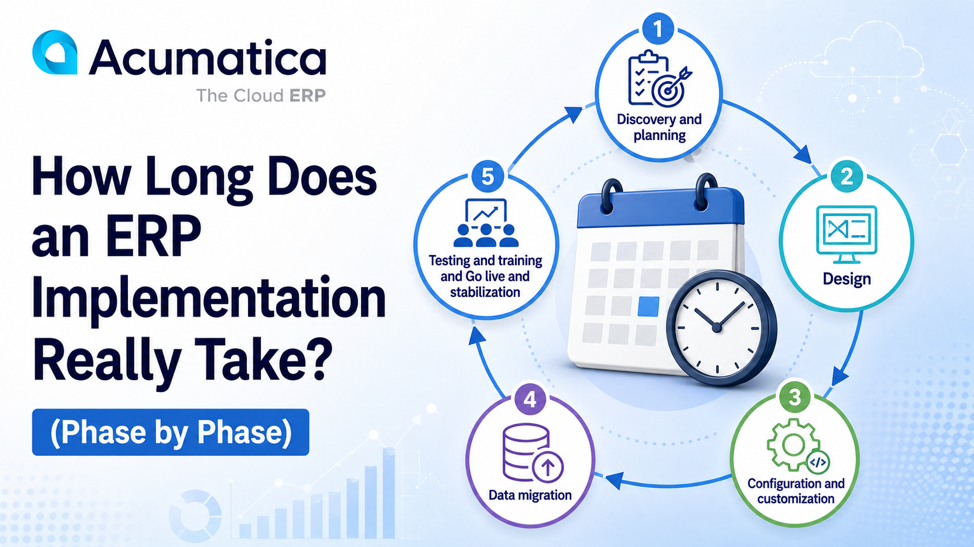
At Pabian Partners, we run Acumatica implementations through five distinct phases. They overlap somewhat in practice, but each one has a clear purpose, a typical duration, and a clear set of risks if it is rushed.
ERP + EDI: The Backbone of B2B Distribution
If you sell to big-box retailers, large industrial buyers, healthcare networks, automotive OEMs, or government agencies, EDI is not optional. It is the price of doing business. And when EDI is not tightly integrated with your ERP, the cost shows up immediately: chargebacks, compliance fines, missed ship windows, and a small team buried in manual order entry.
Phase 1: Discovery and Planning
Typical duration: 4–8 weeks
Discovery is where the implementation is won or lost. This phase sets the foundation for every decision that follows scope, sequencing, data, integrations, customization, and how the partner and the business will work together.
What happens in discovery:
- Stakeholder interviews across finance, operations, warehouse, sales, customer service, and IT.
- Current-state process mapping: how orders flow, how inventory moves, how invoices get created, where the workarounds live.
- Future-state process design: how those flows should look in the new ERP.
- Gap analysis: where the standard system handles the process and where it doesn’t.
- Decisions on configuration vs. customization.
- Integration scope: what connects to what, who owns the data, and how exceptions get handled.
- Project plan, sequencing, and resource commitments.
Discovery is where the partner earns their fee. A weak discovery phase one that races through process mapping or skips operational users guarantees rework later. Our piece on how to build an effective ERP strategy and roadmap covers what a strong discovery output should include.
Common reasons this phase runs long:
- Stakeholders are not available for interviews on schedule.
- Internal processes are not documented, so they must be reconstructed in real time.
- Disagreement between departments about how processes should change.
- Discovery is treated as a checkbox instead of a deliverable.
Phase 2: Design, Configuration, and Customization
Typical duration: 6–12 weeks
This is where the ERP actually starts to take shape. The decisions from discovery are translated into a configured Acumatica environment that reflects how the business will run.
Activities in this phase:
- Chart of accounts setup, fiscal periods, financial structure.
- Item and inventory configuration: units of measure, categories, valuation methods, lot/serial tracking.
- Customer and vendor master data structure.
- Pricing rules, contract pricing, customer price classes, volume breaks.
- Workflows and approval rules for orders, purchase orders, and journal entries.
- Dashboards and generic inquiries for different user roles.
- Custom screens, fields, or extensions where standard tools are not enough.
- Integration scaffolding: API connections, eCommerce sync, EDI mapping foundations.
Note: Key system connections are designed and tested early. Waiting until later phases to engage with eCommerce, EDI, CRM, or shipping integrations is one of the most common reasons projects slip in the final weeks.
How much of this is configuration vs. customization makes a real difference to the timeline. Configuration is fast. Customization is slower and adds long-term maintenance cost. We cover this trade-off in depth in Customizing ERP vs Configuring It.
Common reasons this phase runs long:
- Scope creep: “while we’re at it, can we also…”
- Trying to replicate every quirk of the legacy system instead of redesigning the process.
- Custom code requested where configuration would have worked.
- Late changes to integration scope.
Phase 3: Data Migration
Typical duration: 4–10 weeks (runs in parallel with Phase 2 and into Phase 4)
Data migration is one of the most underestimated parts of an ERP project. It looks like a one-time event on the project plan. In practice, it is a repeated cycle of cleaning, mapping, importing, validating, fixing, and reimporting until the data behaves correctly under real workflows.
What this phase covers:
- Pre-migration data readiness: reviewing customer, vendor, item, inventory, pricing, and financial data in the legacy system.
- Data cleansing: removing duplicates, standardizing naming, fixing units of measure, archiving inactive records.
- Data mapping: deciding where every legacy field belongs in the new ERP.
- Multiple test migrations into a sandbox environment.
- Validation through real workflows, not just record counts. This means teams testing the system with real, live order, inventory, receipt, and return scenarios.
- Final cutover data load just before go-live.
We treat data migration as an operational exercise, not an IT task. Our detailed approach is in ERP Data Migration for Distribution. The short version: ERP does not fix bad data, it amplifies it.
Common reasons this phase runs long:
- Legacy data is messier than anyone realized.
- No one owns specific data domains (items, customers, pricing), so decisions get stuck.
- Trying to migrate too much historical data instead of focusing on what operations actually need.
Units of measure, lot tracking, or valuation methods do not map cleanly between old and new systems.
Pabian Partners’ insight: A slightly longer migration timeline is almost always less costly than a fast migration followed by weeks of post-go-live corrections, inventory investigations, and customer escalations. Speed is rarely the right priority here.
Phase 4: Testing and Training
Typical duration: 4–8 weeks
Testing and training is where the configured system meets the real users for the first time. It is also where most last-minute issues surface which is exactly the point. The goal is to find problems here, in a sandbox, not after go-live, in production.
What good testing looks like:
- Unit testing of individual configurations and integrations.
- Integration testing across modules and connected systems.
- User Acceptance Testing (UAT) with real users running real scenarios.
- Edge case testing: backorders, partial shipments, returns, transfer orders, drop-ships, EDI exceptions, multi-currency adjustments.
- Performance testing under realistic volume.
Training runs in parallel:
- Role-based training, not generic system overviews.
- Hands-on sessions using the actual configured system, not the vendor’s demo environment.
- Documentation and quick-reference guides written for the way the business actually runs.
- Train-the-trainer sessions to build internal expertise.
Common reasons this phase runs long:
- Tests are run on clean, ideal scenarios instead of real, messy ones.
- UAT exposes issues that should have been caught in discovery.
- Training is treated as a single event rather than an ongoing investment.
- Users do not have time carved out for testing because they are still doing their day jobs.
If you want a framework for measuring whether testing actually worked, our Guide to Measuring ERP Implementation Success covers the KPIs that matter like on-time delivery, user adoption, data quality, and business process improvements.
Phase 5: Go-Live and Stabilization
Typical duration: Go-live event: 1–2 weeks. Stabilization: 4–12 weeks.
Go-live is not the finish line. It is the start of the period where the business proves whether the implementation actually works.
What go-live week looks like:
- Final data cutover from legacy to Acumatica.
- Legacy system goes read-only or is decommissioned (depending on rollout strategy).
- Users start running real transactions in the new system.
- Hypercare support: partner team available extended hours to resolve issues as they surface.
- Daily standups to triage problems and adjust as needed.
Stabilization is the 4–12 weeks that follow:
- Inventory settles as real transactions reveal data issues.
- Pricing exceptions are identified and resolved.
- Edge cases surface that no one anticipated in testing.
- Users gain confidence and stop double-checking the system.
- Workarounds get retired (or formalized into proper configuration).
- The first month-end close happens, which usually reveals at least a few items to fine-tune.
From Pabian Partners’ perspective: The weeks after go-live are when implementations either become trusted systems or become tolerated systems. Active partner support during stabilization is what prevents workarounds from becoming permanent habits. We treat stabilization as part of the project, not a post-script.
What This Looks Like on a Calendar
Putting the phases together for a typical mid-market distributor implementation, the calendar looks roughly like this:
Phase | Months | Primary focus |
Discovery & Planning | Month 1–2 | Stakeholder interviews, process mapping, scope definition, project plan. |
Design & Configuration | Month 2–4 | Acumatica configured to reflect the future-state processes. Integration scaffolding begins. |
Data Migration | Month 3–6 | Cleansing, mapping, multiple test migrations and validation through real workflows. |
Testing & Training | Month 5–7 | UAT with real scenarios. Role-based training. Issue triage. |
Go-Live | Month 7–8 | Final cutover. Hypercare support. |
Stabilization | Month 8–9+ | Edge cases resolved. First close. System earns trust. |
Phases overlap with design. Data migration starts during configuration. Training starts before testing finishes. Stabilization continues for weeks after go-live. A clean Gantt chart with non-overlapping phases is a sign someone has drawn the timeline they wanted, not the one the project needs.
What Actually Stretches the Timeline
Across the implementations we have worked on and seen, the same factors tend to extend timelines. Understanding them upfront helps you plan more honestly.
- Dirty or undocumented data
If customer, item, pricing, or inventory data is messy or undocumented, expect data migration to take longer than planned — often by weeks. Cleaning data is one of the highest-leverage things a business can do before kicking off. - Scope creep
“While we’re in there, can we also add…” is the single most common timeline killer. Every mid-project addition has to be designed, configured, tested, and trained. Defending scope is a leadership job, not a partner job. - Internal availability
ERP projects need real time from operational users for interviews, validation, testing, and training. Businesses that try to run an ERP project on top of full operational workload without backfilling or reducing other commitments consistently slip. The internal project lead role in particular needs real bandwidth. - Integration complexity
Each EDI trading partner, each eCommerce platform, each external CRM, each shipping integration adds calendar time. Underestimating this is one of the most common timeline mistakes. - Decision-making bottlenecks
ERP projects produce dozens of decisions per week. If those decisions have to escalate through multiple approval layers, the project slows. Effective ERP projects have a clear decision-making structure agreed up front. - Customization beyond what is necessary
Custom code is slower than configuration, both to build and test. The more customization in scope, the longer the project. We consistently advise clients to start with configuration and treat customization as an exception, not the default. - Underestimating training
Training compressed into a single week before go-live almost always shows up as adoption issues during stabilization. Training distributed across the project, with hands-on practice in the actual configured environment, takes more calendar time but pays back many times over.
How to Compress the Timeline Without Breaking the Project
There are legitimate ways to shorten an ERP timeline. There are also ways that look faster on paper but cost more in the long run. The difference matters.
What works
- Come in prepared. Document workflows, clean your data, line up internal owners, and define your goals before the project starts.
- Limit scope intentionally. Get core ERP live first. Layer in EDI, eCommerce, advanced reporting, and automation in subsequent phases.
- Start with configuration. Reserve customization for genuinely unique, strategic requirements.
- Pick a partner with industry experience. An experienced partner skips weeks of learning curve. Our guide on choosing an Acumatica reseller covers what to look for.
- Empower an internal project lead. Someone with authority, time, and accountability inside the business.
- Make decisions quickly. Establish a clear decision-making structure from day one.
What doesn’t work
- Skipping discovery to save time. Always backfires.
- Cutting testing. Always shows up after go-live.
- Compressing training into a single rushed week.
- Forcing a big-bang rollout to hit an arbitrary date.
- Migrating data without cleaning it first.
- Assigning the project lead role to someone who already has a full-time job and no bandwidth.
What Happens After the Implementation ‘Ends’
ERP implementations don’t really end. They transition into a different phase—ongoing support, optimization, and incremental improvement.
In the first 12 months after go-live, well-run implementations typically include:
- 30/60/90-day reviews to assess adoption, data quality, and business outcomes.
- Optimization of dashboards, workflows, and reports based on real usage.
- Layering in additional modules or integrations that were deliberately deferred.
- Ongoing training as the team gets more comfortable and starts asking for advanced features.
- Annual planning for Acumatica updates, new feature adoption, and roadmap alignment.
We think of this as the period where ERP becomes a real platform for business, not just a system. Our full end-to-end approach is described in the Comprehensive Guide to Acumatica Consulting.
Final Thoughts
There is no universal ERP timeline. There is only the right timeline for your business, your scope, your data, your team, and your partner. The four-to-six-month number that gets quoted in sales conversations is the floor for the simplest scenarios, not the ceiling for complex ones.
What we have consistently seen is that businesses that plan honestly do better than businesses that plan optimistically. They protect discovery. They invest in data. They sequence scope intelligently. They give testing and training the time they deserve. And they expect stabilization to take real weeks after go-live.
Those projects almost always come in on time, on budget, and on outcome. The optimistic ones almost always slip, and the slips are almost always more expensive than the time they tried to save.
Planning an Acumatica implementation and want a realistic timeline based on your specific scope, data, and integrations? We can walk through it with you in plain language, with no pressure.
FAQs
Q1. How long does an ERP implementation take?
For most small and mid-sized distributors and manufacturers, a realistic Acumatica implementation takes 4 to 12 months. Smaller projects with simple scope can finish in 4–6 months. Mid-market projects typically run 6–9 months. Complex or multi-entity projects often run 9–12 months or longer.
Q2. Why do ERP implementations take so long?
Software installation is the fastest part. What takes time is discovery, data migration, integrations, testing, training, and stabilization after go-live. The business has to learn to trust the new system, and that does not happen overnight.
Q3. What is the longest phase of an ERP implementation?
It varies by project, but configuration and data migration are usually the longest phases when measured in calendar time. They also overlap heavily with other phases, which is why total timelines feel longer than the sum of the parts.
Q4. Can ERP implementations be done in less than 4 months?
Yes, but only for very simple scopes like core financials, basic inventory, no integrations, minimal customization. Once you add EDI, eCommerce, multi-warehouse complexity, or customer-specific pricing, sub-4-month timelines stop being realistic.
Q5. What slows down ERP projects most?
In our experience: dirty data, scope creep, limited internal availability, integration complexity, slow decision-making, over-customization, and underinvestment in training. These are predictable risks that can be planned for.
Q6. Does Acumatica implement faster than NetSuite, Dynamics, or SAP?
For small and mid-market businesses, Acumatica typically implements faster than SAP and Dynamics 365 Finance & Operations, and is competitive with NetSuite. Acumatica’s configurable platform and unlimited-user model reduce some of the friction that slows other ERPs. Real timelines still depend more on scope and partner quality than on the software brand.
Q7. What is the difference between go-live and stabilization?
Go-live is the cutover event which means transitioning from a legacy system to a new system. Stabilization is the 4–12 weeks after go-live where the business proves the implementation actually works under real conditions and real people who will use the system on a daily basis. Both matter. Treating go-live as the finish line is one of the most common implementation mistakes.
Q8. How long should I plan for testing in an ERP implementation?
Generally, 4–8 weeks of dedicated testing, with user acceptance testing using real scenarios and real data. Compressing testing to save time almost always shows up as issues after go-live.
Q9. What is the role of the internal project lead?
The internal project lead owns communication, tracking, decision-making, and follow-up on the customer side. This role needs real authority and real bandwidth. ERP projects without a strong internal lead consistently slip.
Q10. Can Pabian Partners help estimate an honest timeline for my business?
Yes. We help distributors and manufacturers build realistic Acumatica implementation timelines based on actual scope, data, integrations, and team readiness, not a generic 4-to-6-month number. The conversation is free, and there is no obligation.
- The Honest Answer: 4–12 Months, Sometimes Longer
- The 5 Phases of an ERP Implementation
- ERP + EDI: The Backbone of B2B Distribution
- Phase 1: Discovery and Planning
- Phase 2: Design, Configuration, and Customization
- Phase 3: Data Migration
- Phase 4: Testing and Training
- Phase 5: Go-Live and Stabilization
- What This Looks Like on a Calendar
- What Actually Stretches the Timeline
- How to Compress the Timeline Without Breaking the Project
- What Happens After the Implementation ‘Ends’
- Final Thoughts
- FAQs