

ERP Scope Creep: How to Control It Before It Wrecks Your Acumatica Budget
Written by Pabian Partners Team
Published: September 2026
Key Takeaways
Key Takeaways
- Scope creep never arrives as one big decision. It arrives as many small ones.
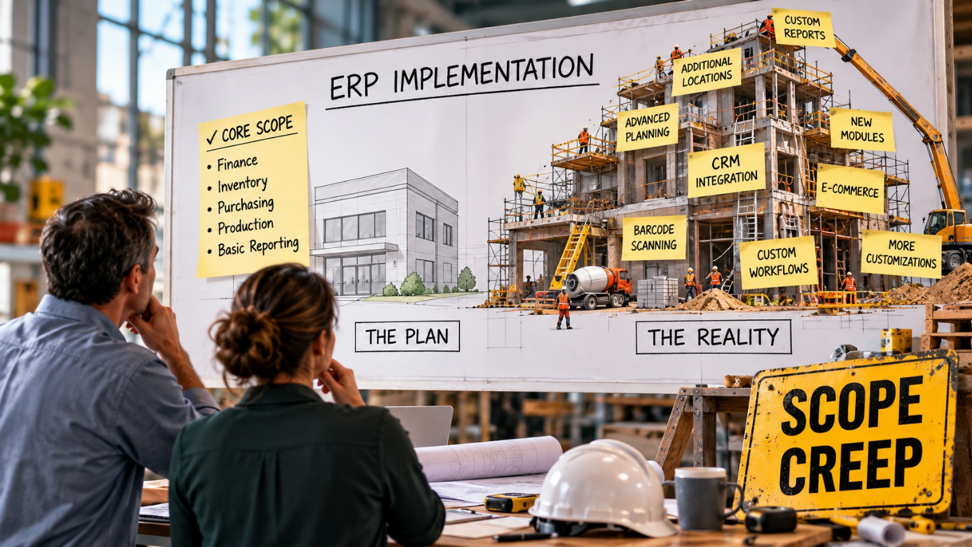
Nobody proposes doubling the budget halfway through. They ask for one more field, one more approval step, one exception for one customer, each harmless on its own, until the project has gone out of scope.
- The cost isn’t just customization. It’s everything the customization drags behind it.
Every added requirement touches testing, training, documentation, and future upgrades. That’s why a “small” change is not always small and why scope creep is one of the most consistent reasons ERP projects blow past budget.
- The fix is discipline, not rigidity.
You control scope creep with a simple process for deciding what’s in, what’s out, and who signs off, not by refusing every change. The goal is to say yes on purpose instead of by accident.
Roughly a quarter of ERP projects we see come in over budget and when you trace the overruns back, the same culprit shows up again called scope creep. Not a dramatic mistake, not a bad platform, just a slow accumulation of “can we also…” that nobody ever formally approved.
Here’s why this is even a point of discussion. Scope creep is invisible in the moment. No single request looks like a problem. “Can this work a little differently for our biggest customer?” sounds reasonable. “Can we just recreate our old report exactly the way it was?” sounds harmless. Each one feels small. Added together, over the length of an implementation, they’re how a clean project turns into a bloated one that’s late, over budget, and harder to upgrade for years to come.
Acumatica is a flexible platform, which is a strength, but flexibility cuts both ways as you can customize and extend almost anything. It’s easy to keep saying yes to changes that standard tools could have handled, or that the business didn’t really need. This article breaks down how scope creep happens on an Acumatica project, the warning signs, and the practical guardrails that keep it from wrecking your budget, without turning your implementation into a bureaucratic slog.
What Scope Creep Actually Is (and Isn’t)
Scope creep is the gradual expansion of a project beyond what was originally defined and locked, without a corresponding, agreed-upon adjustment to budget, timeline, and priorities.
The key phrase is “without a corresponding adjustment.” Scope creep is not the same as scope change. Businesses learn things during an implementation and sometimes a new requirement is genuinely important and worth adding. That’s legitimate, if it goes through a decision that includes what does it cost, what does it push back, and is it worth it? That’s a scope change, and it’s healthy.
Scope creep is what happens when those additions slip in without that decision. The requirement gets added because someone asked, a consultant said yes to be accommodating, and no one stopped to price it. Multiply that by a few dozen small requests and you’ve expanded the project substantially while everyone still believes they’re on the original plan. So, the goal is to make sure every addition is a conscious decision rather than an accident and not freeze the project and reject all changes.
How Scope Creep Sneaks into an Acumatica Project
Scope creep has a handful of predictable entry points. Recognizing them is half the battle.
- “Let’s just recreate our old system.”
The single most common source. A team moves off legacy software and tries to make Acumatica behave exactly like the system they left, down to the quirks. This quietly manufactures customization work whose only purpose is to preserve old habits, many of which were inefficient to begin with. When someone asks to “recreate the old report exactly,” it’s often a sign the process hasn’t been rethought at all. When someone asks to “recreate the old report exactly,” down to the appearance and format of the legacy system’s version, it’s often a sign the process hasn’t been rethought at all, and it can generate real custom-reporting work to reproduce a layout the business doesn’t actually need. - The one-customer exception.
“Can this behave differently for just this one account?” It sounds like a small accommodation. But a special rule for one customer becomes custom logic that has to be tested, documented, supported, and re-validated at every upgrade, forever. One exception invites the next. - Death by one more field.
One more field on a form. One more column on a report. One more approval step in a workflow. Individually trivial. Collectively, they add up to real hours across configuration, testing, and training, and they accumulate so gradually no one notices the total climbing. - Inconsistent internal processes.
One branch does returns one way, another warehouse does it differently, and customer service has its own workaround. Instead of standardizing, the business asks Acumatica to support all three, tripling the complexity of something that should have been simplified. - Uncontrolled integrations.
“While we’re at it, can we also connect this other system?” Every new integration is its own mini-project with its own testing and maintenance burden. Added mid-stream, without re-planning, they’re a classic budget-buster. - “While we’re migrating, can we also bring over…”
This is so common while migrating clients from one system to another one like Acumatica in our experience. Migration is a magnet for scope creep. Requests pile up to migrate additional historical data, clean up legacy records, and map the extra fields needed to support them, each one adding mapping, testing, and validation work that wasn’t in the original plan. What started as “move our active data” quietly becomes a data-cleanup project of its own.
The Warning Signs You’ve Lost Control of Scope
Scope creep is easier to catch if you know the symptoms. Watch for these:
- The budget keeps climbing but no one can point to a single decision that caused it. Death by a thousand cuts always looks like this.
- Change requests are handled verbally. If additions are agreed in hallway conversations and status calls rather than written down and priced, you have no scope control at all.
- The customization list keeps growing. If the number of custom items is going up, not down, as the project progresses, that’s the opposite of what should happen. Good implementations narrow toward go-live.
- “While we’re in here…” becomes a recurring phrase. It’s the sound of scope expanding.
- Go-live keeps sliding and each slip is explained by “a few more things we wanted to add.”
- Client-driven delays aren’t being counted as scope changes. Limited client availability, slow approvals, or key people being unavailable can stretch a timeline just as much as added features, but these rarely get logged as changes. If go-live keeps sliding because of client-side delays and no one is formally recognizing it, scope is expanding invisibly.
If several of these signs sound familiar, the project hasn’t failed, but it needs the guardrails talked about in the below section and soon.
How to Control Scope Creep Without Killing Momentum
Controlling scope is about a few disciplines that make every addition a conscious choice.
- Define scope clearly before you start
You can’t creep beyond a line you never drew. Before the build begins, document what’s in scope, what’s explicitly out, and what “done” looks like for this phase. A vague scope is an open invitation to creep. This is also where an experienced partner earns their keep, by pushing you to be specific up front instead of discovering the gaps mid-project.
- Put every change through a simple change process
This is the single most effective control. Every new request, no matter how small, goes through four questions: What is it? Why is it needed now? What does it cost in time and money? Who approves it? Writing it down and pricing it does two things: it kills the trivial requests that aren’t worth their cost, and it makes the worthwhile ones a deliberate, funded decision. The process doesn’t have to be heavy, it just has to exist.
- Configure first, customize only when you must
Most “we need a customization” requests can be solved with Acumatica’s built-in, no-code tools, workflows, generic inquiries, business events, dashboards, field and form settings, before any custom code is written. Custom code is the expensive path that has to be tested, documented, supported, and re-validated at every upgrade. Defaulting to configuration eliminates a huge amount of scope creep at the source. Our guide on customizing ERP vs. configuring it walks through exactly how to make that call, and why “just because Acumatica can be customized doesn’t mean it should be.”
- Separate “must-have now” from “nice-to-have later”
Not everything has to happen before go-live. A powerful scope-control move is a “phase 2” list like a parked backlog of good ideas that aren’t essential for launch. It lets you honor a request (“yes, we’ll do that, in phase 2”) without derailing the current budget and timeline. Get live on the core, prove it works, then revisit the list. This is one reason a phased rollout often protects a budget better than a big-bang one, a tradeoff we cover in big-bang vs. phased ERP rollouts for distributors.
- Standardize the process before you automate the exception
When different teams do the same thing differently, the answer usually isn’t to build every variation into Acumatica. It’s to agree on one clean process and configure that. ERP works best when it supports a simpler operating model, not when it preserves every inconsistency the business has accumulated over the years.
- Hold a contingency and watch it
Even disciplined projects encounter genuine surprises, so budget for them: a common guideline is a contingency buffer of around 15 to 20 percent of the project cost for the unexpected. The point isn’t to spend it, it’s to make unplanned costs visible. When you’re dipping into contingency, you know scope is under pressure and can respond deliberately instead of being surprised by the final invoice.
Why a Disciplined Partner Matters Here
Scope control is as much about the partner as the process. A weak or overly accommodating implementation partner says yes to every request to keep the client happy and quietly bills the growing hours. A strong partner does something more valuable is that they push back and with a reason. They ask whether a request is strategic or just a legacy habit, whether standard configuration would do, and whether an addition is worth what it will cost you at every future upgrade. But the partner can’t hold the line alone. Scope discipline also depends on someone on the client’s side owning it, a champion who does more than attend status calls. The best client champions actively keep their own team focused on the agreed plan, push back on “while we’re in here” requests from their colleagues, and build support for adopting the new system rather than recreating the old one. When that champion is engaged, requests get filtered before they ever reach the partner. When the role is absent, or the person in it doesn’t consistently motivate the team or defend the plan, every stray idea becomes a change request, and scope quietly balloons from the inside. Choosing a disciplined partner matters, but so does deciding who will hold the line internally, before the project starts.
That kind of honest friction is exactly what protects your budget. At Pabian Partners, we treat scope discipline as part of the job, not because we want to limit what your Acumatica system can do, but because we’ve seen how uncontrolled scope turns a healthy project into an expensive one. The goal is an implementation that delivers what your business needs, on a budget you can predict, and a system that stays clean enough to grow with you.
If you want to get ahead of budget surprises more broadly, our guide on how to save money implementing an ERP on a budget covers the wider cost picture, and the 25+ questions to ask your Acumatica partner before you sign a contract includes the questions that tell you whether a partner will hold the line on scope or cave to every request.
FAQs
1. What is ERP scope creep?
Scope creep is the gradual expansion of an ERP project beyond what was originally defined, without a matching, agreed-upon adjustment to budget and timeline. It usually happens through many small additions, an extra field, an approval step, a one-customer exception, none of which looks significant alone, but which together push the project over budget and behind schedule.
2. Why is scope creep so common in ERP projects?
Because each individual request feels reasonable and small, and because flexible platforms make it easy to say yes. People are comfortable with what they know, so they ask the new system to replicate old habits and handle every exception. Without a formal process to price and approve changes, those requests slip in unnoticed until the cumulative cost is large. It’s one of the most consistent reasons ERP projects exceed budget.
3. How do I control scope creep without blocking necessary changes?
Use a lightweight change process rather than a freeze. Every request, however small, answers four questions: what is it, why now, what does it cost, and who approves it. That kills trivial requests and turns genuinely important ones into deliberate, funded decisions. The aim is to say yes on purpose, not to say no to everything.
4. Does customization always cause scope creep?
Not always, but it’s the most expensive place for it to happen. Custom code has to be tested, documented, supported, and re-validated at every upgrade, so it carries long-term cost well beyond the initial build. The discipline that prevents most customization-driven creep is simple: configure with Acumatica’s built-in, no-code tools first, and reserve custom code for requirements that are genuinely strategic and can’t be met any other way.
5. How much contingency should I budget for an ERP implementation?
A common guideline is a contingency buffer of roughly 15 to 20 percent of the project cost to absorb genuine surprises. The value isn’t just the cushion, it’s the visibility: when you start drawing on contingency, it signals that scope is under pressure, so you can respond deliberately rather than being blindsided by the final cost.
6. What's the difference between scope creep and a scope change?
A scope change is a new requirement that goes through a conscious decision, its cost and timeline impact are assessed and approved. That’s healthy; businesses learn things during implementation. Scope creep is the same kind of addition slipping in without that decision, unpriced and unapproved. The requirement isn’t the problem; the missing decision is.