

ERP Data Migration for Distribution: What Breaks Projects
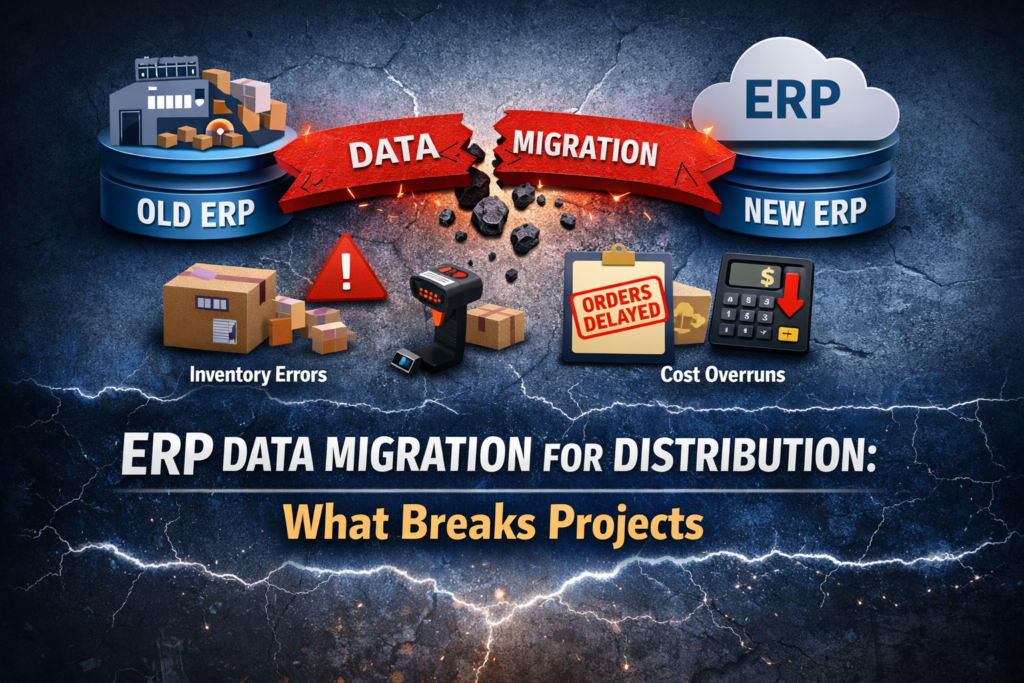
ERP data migration is where most ERP distribution projects quietly succeed or fail.
Not because the software is a wrong choice.Not because the implementation team is inexperienced.
But because the data underneath the system does not reflect how the business runs.
For distributors, data migration is not a technical exercise. It is an operational transition that directly affects inventory accuracy, fulfillment, pricing, margins, and customer trust.
This guide walks through how data migration really works for distribution businesses, what breaks projects, and how to approach migration in a way that supports daily operations instead of disrupting them.
Why Data Migration Is Harder for Distributors Than Other Businesses
Distribution data is complex by nature.
It spans:
- Multiple warehouses and locations
- Thousands or millions of SKUs
- Units of measure and conversions
- Customer-specific pricing and terms
- Vendor relationships and replenishment logic
- High transaction volume
- Tight fulfillment timelines
Over time, this data is shaped by workarounds, spreadsheets, legacy systems, and tribal knowledge. It works because people know how to work around it.
ERP migration removes those workarounds and forces the data to stand on its own.
That is why problems often appear only after go-live.
What ERP Data Migration Actually Includes
Many distributors underestimate what “data migration” really means.
It is not just loading files into a new system.
It includes:
- Deciding which data is operationally required
- Cleaning and standardizing records
- Mapping old structures to new ones
- Validating inventory and pricing logic
- Testing workflows using real scenarios
- Supporting stabilization after go-live
Every one of these steps affects daily operations.
If you are still early in your ERP journey, start with the fundamentals. Understanding what ERP is designed to solve for distributors and how different systems support inventory, fulfillment, and growth will help you evaluate options with more clarity and fewer surprises later.
The Biggest Data Migration Mistakes in Distribution ERP Projects
1. Treating Migration as an IT Task
One of the most common mistakes is assigning data migration entirely to IT or consultants.
Warehouse teams understand inventory.
Sales understands pricing.
Finance understands valuation and balances.
When operational teams are not involved, errors go unnoticed until orders start moving.
2. Migrating Too Much Data
More data does not equal better outcomes. Trying to migrate years of historical transactions increases complexity and testing time without improving operations.
Most distributors only need:
- Active customers and vendors
- Active SKUs and current inventory
- Open sales orders and purchase orders
- Current pricing and discounts
- Opening financial balances
Everything else can usually stay archived.
3. Ignoring Units of Measure
Units of measure are one of the most common causes of post-go-live inventory issues.
Cases, pallets, weights, and conversion factors must be validated carefully.
A small mismatch can create massive inventory discrepancies once transactions begin.
If units of measure are wrong, nothing downstream works correctly.
4. Migrating Bad Data
ERP does not fix bad data.
Duplicate customers, obsolete SKUs, inconsistent naming, and outdated pricing rules migrate into the new system unless cleaned beforehand.
Once live, these issues slow teams down and erode confidence in ERP.
5. Oversimplifying Pricing Logic
Distribution pricing is rarely simple. Customer-specific pricing, volume discounts, contracts, and exceptions often live in spreadsheets or legacy systems. When pricing logic is simplified during migration, margins erode and customer relationships suffer.
6. Underestimating Inventory Structure
Inventory is not just quantities.
It includes:
- Warehouse and location structure
- Bins and pick paths
- Lot or serial tracking
- Valuation methods
- Reorder points and safety stock
If any of these are misaligned, inventory accuracy suffers immediately.
7. Why Migration Issues Appear After Go-Live
Migration problems rarely show up during basic testing. They surface after go-live, when the system is under real operational pressure.
They appear when:
- Orders are partially shipped
- Inventory is adjusted
- Returns are processed
- Backorders occur
- Finance closes the first period
Pre-go-live testing usually focuses on ideal, clean, and controlled scenarios. Orders are entered correctly. Inventory is assumed to be accurate. Exceptions are limited.
Real operations are not that clean. Edge cases, exceptions, and everyday workarounds expose gaps in data that testing never touched. That’s why data migration must be validated through real-life workflows, not just reports or sample transactions.
Pabian Partners’ Data Migration Approach for Distributors
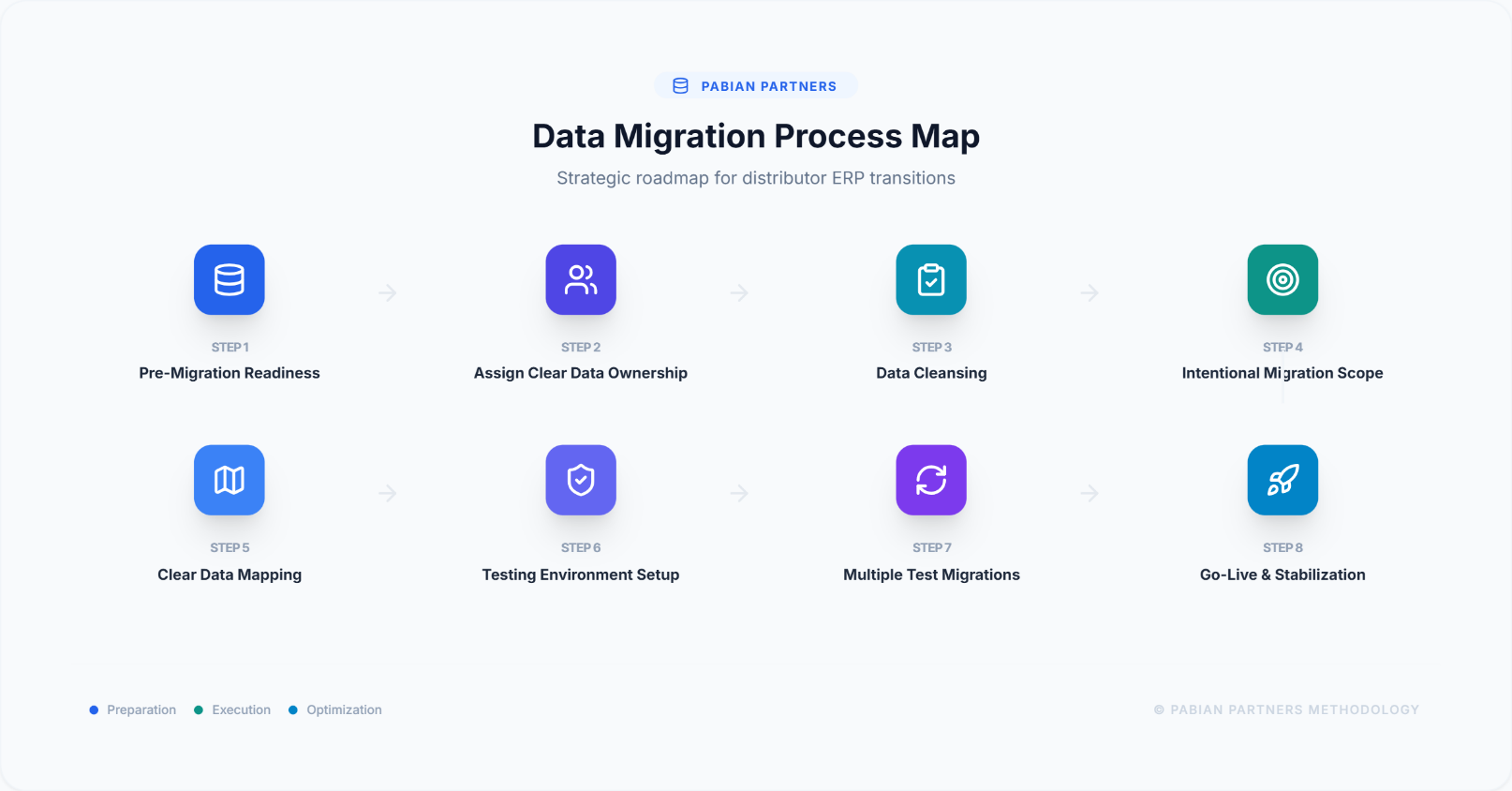
Step 1: Start With Pre-Migration Data Readiness, Not Extraction
Before moving data, you should understand what you are working with- your data quality and structure. Every ERP stores data differently. Mapping how customers, items, inventory, pricing, and transactions are structured in the current system helps avoid surprises later. This step is about understanding how today’s data will translate into your new ERP structure, not assuming it will fit cleanly by default.
This includes:
- Reviewing inventory, customer, vendor, pricing, and financial data
- Identifying duplicates, inactive records, and inconsistencies
- Clarifying units of measure, conversions, and valuation methods
- Determining which data is operationally necessary and which should remain archived
Doing this tells you which data deserves to be migrated and surfaces risk early. The goal should be to move the right data. This initiative doesn’t have to be led by one person. This is shared ownership.
Step 2: Assign Clear Data Ownership
Each data area needs an owner. Pabian Partners assigns clear ownership across teams:
- Warehouse teams validate inventory structure and quantities
- Purchasing reviews vendor and item data
- Sales validates customer records and pricing logic
- Finance confirms balances and valuation rules
Ownership creates accountability. This ensures that data is reviewed by the people who rely on it daily, not just by those importing it.
Step 3: Data Cleansing Before Data Migration
ERP migration is not the time to carry forward bad habits. Correct known errors, remove duplicates, standardize naming conventions, and fill in missing fields that will be required in the new system. Clean data going in reduces downstream corrections and builds early confidence in ERP.
ERP does not fix bad data. It amplifies it. Next, archive what you don’t need like historical or inactive data often adds complexity without adding value. Decide early which records should be archived instead of migrated. This keeps the system lighter, testing faster, and users more focused.
Step 4: Define a Limited and Intentional Migration Scope
Data migration scope is intentionally limited in early phases. Decide whether data will be migrated in phases or all at once (big bang vs phased ERP rollout). For most distributors, phased migration reduces risk by allowing teams to validate data in smaller, more manageable batches before expanding scope.
Typical focus areas include:
- Active SKUs and on-hand inventory
- Open sales orders and purchase orders
- Current customer and vendor records
- Pricing that is actively in use
Select migration tools that work with both the existing ERP and the new ERP. Automation helps reduce manual errors, but tools are only effective when the underlying data is clean and well understood.
Step 5. Define Clear Data Mapping
Every data element must have a clear destination in the new ERP.
Customers, items, inventory, pricing, and financial balances should be mapped intentionally so nothing critical is lost or misrepresented. If a data field does not have a clear purpose in the new system, it likely does not need to be migrated.
If the ERP’s standard configuration does not support the required business process, customization may be appropriate. The goal is to support operations, not to replicate old system behavior without question.
Good data mapping enables better workflows. Poor mapping recreates old problems in a new system.
Step 6: Set Up a Testing Environment
Migration should never be tested in production. A dedicated testing environment allows teams to run migrations, validate data, and execute real workflows without risking live operations.
Step 7: Run Multiple Test Migrations Using Real Scenarios
One test migration is not enough. Pabian Partners runs multiple test migrations and validates them using real operational scenarios:
- Orders are entered, picked, shipped, and invoiced
- Inventory is received, transferred, and adjusted
- Pricing and discounts are validated against real customers
- Financial balances are reviewed for accuracy
Issues are corrected at the source before the next test migration, not patched after go-live.
Step 8: Go-Live and Stabilization Matter as Much as Migration
We treat Go-live as a controlled transition and not the finish line.
The weeks after go-live are when:
- Inventory settles
- Pricing issues surface
- Adjustments are made
- Teams gain confidence
Our active support during stabilization continues to prevent workarounds from becoming permanent habits.
We created a downloadable checklist for you to use as an internal prep guide for your ERP project. This is written for ops, warehouse, and finance teams, not IT alone.
Why This Approach Works for Distributors
From Pabian Partners’ perspective, ERP data migration succeeds or fails based on one simple question:
Can your business operate normally on day one without workarounds?
That question shapes how every migration decision is made. Rather than starting with extraction scripts or migration tools, Pabian Partners starts with how distributors run their business. Warehouses do not stop shipping. Finance does not pause closes. Customers do not lower expectations because an ERP project is underway.
So, migration planning is built around protecting those realities.
a) Operations First, Always
Pabian Partners treats data migration as an extension of daily operations, not a backend task. Warehouse teams validate inventory data because they live with its accuracy every day. Sales and customer service validate pricing and order behavior because they deal with the consequences when it is wrong. Finance validates balances and valuation rules because small discrepancies become major issues at close.
This operational ownership ensures migration decisions are grounded in reality, not assumptions.
b) Fewer Surprises Beat Faster Go-Lives
Speed is rarely the priority.
From our experience, distributors rarely regret moving slower through migration. They often regret rushing it. A slightly longer migration timeline is far less costly than weeks of post-go-live corrections, inventory investigations, and customer escalations.
That is why scope is intentionally limited early and expanded only after stability is proven.
c) Real Workflows Expose Real Risk
Reports can balance while operations struggle. Pabian Partners validates migration through real workflows because that is where risk shows up. Picking, shipping, receiving, partial orders, pricing exceptions, and adjustments reveal issues long before dashboards do.
If the warehouse can operate confidently, the migration is on track. If it cannot, the data is not ready.
d) Phased Migration Reflects Distribution Reality
Distribution businesses change incrementally, not all at once.
Pabian Partners aligns data migration with phased ERP rollouts so complexity is introduced in controlled steps. Core inventory and order data must be stable before layering in advanced pricing, EDI, eCommerce, or automation.
This approach limits the blast radius of issues and gives teams time to adapt without disrupting customers.
e) Trust Is the Real Success Metric
The goal of data migration is not clean imports. It is trust. When teams stop double-checking inventory, stop exporting data to spreadsheets, and stop questioning numbers, ERP begins to deliver real value. That trust is built early when data behaves correctly under real conditions.
From our perspective, that early trust is what separates ERP systems that teams rely on from ones they tolerate.
Final Thoughts
ERP data migration is where ERP becomes real. Clean data does not guarantee success, but poor data almost guarantees failure.
For distributors, data migration deserves as much attention as ERP selection and rollout strategy. When handled thoughtfully, ERP becomes a stable foundation for growth. When rushed, it inherits the same problems the business was trying to escape.
ERP works best when data migration is intentional, disciplined, and grounded in how distribution businesses operate.